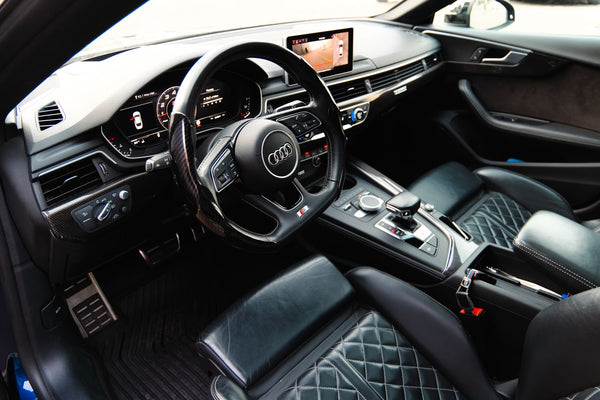
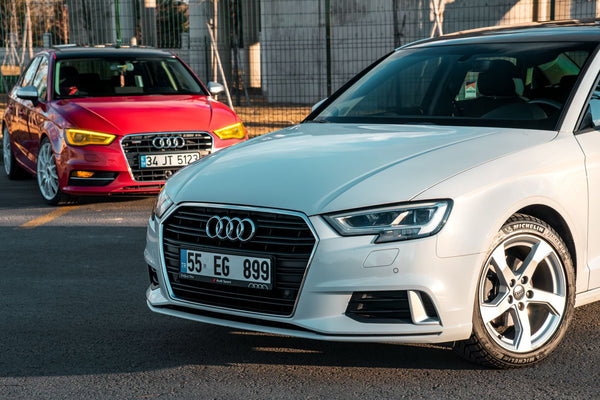
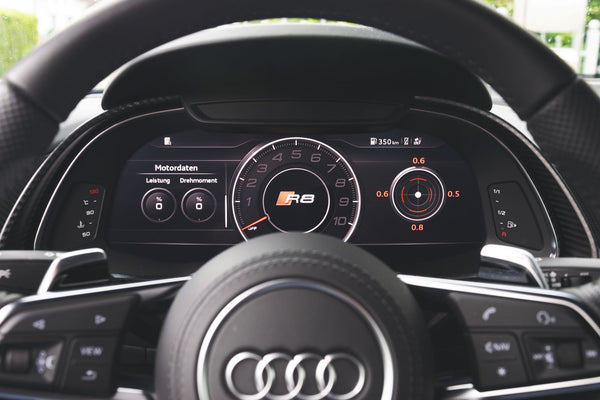
A search like “BMW M3 steering wheel” or “Audi RS3 steering wheel” seems precise. Yet it is not always enough to identify the right family. An M3 can be an F Series or a G Series car. An RS3 can be an 8V or an 8Y. The name stays the same, while the generation, the controls and the equipment change.
Compatibility therefore reads like an ID card. You need to bring together the model, the generation code, the year and the features fitted at the factory. These four pieces of information let you select the right base, then check the airbag, the buttons and the options to carry over.
This guide shows you where to find these markers, how to interpret them and which families are currently covered in the Apex catalog. It prepares the product selection. Final validation still depends on the actual configuration of your vehicle.
How do you know if a steering wheel fits your car?
Start by gathering five pieces of information:
- the exact make and model;
- the generation or chassis code;
- the year of the vehicle;
- the trim level or version;
- the equipment on your current steering wheel.
A sharp photo taken from the front is a useful addition to this list. It shows the shape of the airbag cover, the layout of the buttons, whether paddles are fitted and the overall design of the steering wheel. A second photo from behind can help identify the controls and add-on parts.
Why aren't the make and model always enough?
Manufacturers keep a model name across several generations. The Volkswagen Golf illustrates this: the Golf 7, Golf 7.5 and Golf 8 share the same family name, but correspond to distinct periods and cockpits. The same logic applies to a BMW M2 F87 and G87, or a Mercedes-AMG C63 W205 and W206.
The generation code removes this ambiguity. It links the car to a more precise technical family than the badge on the trunk alone.
Why isn't the year always enough?
A calendar year can include a changeover, a facelift or vehicles registered after they were built. The date of first registration is still useful, but it should be read together with the generation code and the look of the original steering wheel.
When two versions overlap, the combination of generation, equipment and photo is more reliable than the year alone.
Which equipment should you note?
Look at your current steering wheel and note:
- whether paddles are fitted;
- audio and phone controls;
- cruise control and speed limiter;
- heated steering wheel;
- touch-sensitive or physical buttons;
- driver assistance system using hands-on detection;
- shape of the airbag module and cover.
These elements describe the configuration to carry over. They also help tell apart two vehicles of the same generation with different equipment.
Which elements must match on the new steering wheel?
The rim is the visible, customizable part. Compatibility mainly comes down to the hub, the airbag and the controls. Each area plays a different role.
The airbag and its cover
In the standard case documented at Apex, you keep your original airbag module. It is transferred to the new steering wheel. The configurator may offer a decorative cover, while the mechanism remains the vehicle's own.
The shape of the airbag and its mounting points must match the selected family. A front photo is already enough to spot a difference in shape. Technical confirmation is then based on the configuration data.
In a retrofit project where the vehicle did not have the intended equipment, compatible parts are determined case by case. The appropriate safety module is ordered from the manufacturer when the configuration requires it.
Multifunction buttons
The audio, phone and cruise control buttons are linked to the steering wheel electronics. At Apex, there are two options: reuse the original buttons or order new OEM buttons with the steering wheel.
The choice depends first on the steering wheel family and the layout of the controls. In a validated configuration, the features fitted at the factory are carried over with the matching components.
Paddles
If your car has paddles, flag it from the start of the check. Their shape, operation and integration can vary depending on the generation and the gearbox. A car from the same range can come with or without paddles, which changes the parts to plan for.
The configurator lets you choose between keeping the original paddles and the options available for the family concerned. The selection always starts from the vehicle's actual equipment.
The heated steering wheel
Heating is a function built into the steering wheel. It must therefore be identified before production. The fact that two steering wheels have a similar shape is not enough to confirm that the heating can be carried over.
Mention this option in the configuration details and keep a photo of the related controls. The check will determine which components to carry over for the chosen family.
Capacitive hands-on detection
Some driver assistance systems use a capacitive surface built into the steering wheel to detect hand contact. Volkswagen, for example, documents this technology on vehicles equipped with Travel Assist. This sensor belongs to the steering wheel and must be distinguished from vibrations or corrections produced by the power steering.
If your vehicle has a system using this detection, flag it explicitly. It is a compatibility point to check, just like heating or paddles.
Original compatibility and retrofit: what's the difference?
A replacement within the same technical family uses the steering wheel designed for the vehicle's generation. The airbag, controls and equipment are then assessed within that family.
A retrofit uses a steering wheel from another generation or another trim level. It can bring a newer shape, different controls or another rim design. This approach requires more information, because appearance does not reveal the connectors and functions to adapt.
| Situation | Starting point | Main check |
|---|---|---|
| Same generation, same equipment | original family | airbag, buttons and fitted options |
| Same generation, different trim | original family with variation | layout of controls and paddles |
| Different generation | retrofit | airbag, electronics, connectors and equipment |
| Adding a feature | specific configuration | presence of components and vehicle support |
So a retrofit is not decided on diameter or shape alone. It is built from the original components and the target generation.
When should you choose the original family?
Choose it when you want to customize the feel, shape and finishes while keeping the architecture designed for your generation. You then select the materials, stitching, twelve o'clock marker and inserts on a base that matches your family.
When should you consider a retrofit?
Consider it when you want the design of another generation or a feature missing from the original family. First gather the VIN, photos and the list of equipment. This preparation allows the project to be assessed before production.
Where can you find your car's generation code?
The code may appear in the manufacturer's documentation, the vehicle's detailed specifications, some parts databases or documents linked to the VIN. Its format differs by brand: F80 or G80 at BMW, 8V or 8Y at Audi, W205 or W206 at Mercedes-Benz.
If you already know this code, provide it along with the model and year. If you don't, the VIN and photos are the starting points for the check.
What is the VIN used for?
The vehicle identification number identifies your car precisely. It adds to the model name and year, which can remain ambiguous during a generation change.
For the steering wheel, the VIN helps place the vehicle in its original configuration. It does not replace the list of visible equipment, but it provides a reliable basis for checking the model, period and trim.
How do you take the right photos?
Take a photo from the front with the wheels straight and the whole steering wheel visible. Add a close-up of the left and right buttons. If paddles are fitted, show their shape from behind. Also photograph the heating control if there is one.
These images turn a general description into an identifiable configuration. They are especially useful when a facelift changed the controls partway through a production period.
How do you read an Apex product family?
One product page can cover several models when they share a common steering wheel family. Its title lists the most searched models, while the compatibility section specifies the other documented vehicles. This structure avoids creating an almost identical page for each badge.
To read it correctly, always start from your own car:
- find the model in the list;
- compare the generation code;
- check that the year falls within the period shown;
- check the equipment on your current steering wheel;
- send the photos and VIN before production.
A model appearing in a family points you to the right product. The final configuration then specifies the components to carry over and the options to select.
Why can two similar-looking steering wheels require two separate checks?
The exterior design mainly shows the rim, the structure and the buttons. The parts that operate the functions also sit behind the surface: control connectors, heating, capacitive sensor, paddles and generation-specific interfaces.
Two steering wheels can therefore share a silhouette yet correspond to different equipment. This is why the check combines the photos with the generation code and the fitted features. The photo answers the question “what does the steering wheel look like?”. The vehicle information answers the question “which configuration needs to be carried over?”.
This distinction is particularly useful with a facelift. The manufacturer may update the controls or driver assistance systems while keeping a similar overall shape. The code, year and equipment list then let you choose the right family without relying on appearance alone.
Which vehicle families does Apex cover?
The current catalog lets you start with five documented groups: Audi, BMW, Mercedes-AMG, Volkswagen, and SEAT and Cupra. The collections organize entry by brand, while the product pages group several models sharing a steering wheel family.
The following table is a guide. The product page and the configuration check remain the references before production.
| Brand | Families currently in the catalog | First step |
|---|---|---|
| Audi | TT 8J and 8S, several A, S, RS and Q families | identify the Audi code and the steering wheel shape |
| BMW | F Series and G Series LCI | tell the F and G codes apart |
| Mercedes-AMG | 2018+ families and recent generation | identify the W, C or X code or the AMG generation |
| Volkswagen | Golf 7, Golf 7.5, Golf 8 and related families | identify the generation and the controls |
| SEAT and Cupra | Leon, Ibiza and Ateca in documented families | note the model, year and trim |
Audi: why do the codes matter?
Audi uses codes such as 8J, 8S, 8V, 8Y, B9 or C8 to distinguish generations and platforms. An Audi TT 8J and a TT 8S belong to two different families. An RS3 8V and an RS3 8Y wear the same RS3 badge, but correspond to different periods and controls.
Start with the model, then find the code. Add the year, the airbag shape and the equipment. This method is more reliable than a search limited to “Audi RS steering wheel”.
BMW: F Series or G Series?
At BMW, generation codes are widely used by owners and parts sellers. An M2 F87 belongs to the F family, while an M2 G87 belongs to the G family. The same logic applies to the M3 F80 then G80 and G81, or the M4 F82 then G82 and G83.
The Apex catalog currently distinguishes an F Series family and a G Series LCI family. The exact code of your vehicle therefore points you straight to the right starting point.
Mercedes-AMG: which steering wheel generation?
The AMG name covers several classes and several generations of controls. A C63 W205 and a C63 W206 cannot be treated as a single reference. The chassis code, year and button design make it possible to tell the families apart.
To prepare the check, provide the class, the AMG version, the code if known and the steering wheel equipment. A front photo confirms the visual generation before the components are checked.
Volkswagen: Golf 7, 7.5 or 8?
The Golf clearly shows the difference between model name and generation. A Golf 7, its 7.5 facelift and a Golf 8 each require separate identification. The GTI, R, GTE or GTD trims then add variations in controls and paddles.
Start with the generation, then specify the trim. On vehicles with Travel Assist, also flag the capacitive hands-on detection.
SEAT and Cupra: model, generation and trim
For a Leon, an Ibiza or an Ateca, give the exact model, the year and the FR or Cupra trim where applicable. The paddles, buttons and steering wheel shape complete the ID card.
The SEAT and Cupra collection is the shopping entry point. Generation-specific guides will follow to address the ambiguities actually seen in searches and customer requests.
Which functions can you keep?
A validated configuration carries over the features fitted at the factory with components suited to the chosen family. Audio, phone and cruise control buttons are among the functions documented at Apex. The buttons can be transferred from your current steering wheel or ordered as new OEM parts.
Paddles, heating and hands-on detection must be mentioned explicitly during the check. These are the features that set apart two configurations that look alike.
Your original airbag remains the reference point in the standard case. You also keep your complete steering wheel during production, since the new one is made to order. Your car therefore stays available until delivery.
What information should you send before production?
Prepare this checklist:
- make and model;
- generation or chassis code;
- year;
- VIN;
- trim;
- front photo of the steering wheel;
- photos of the buttons and paddles;
- whether the steering wheel is heated;
- whether it has capacitive hands-on detection;
- whether you want to stay within the generation or consider a retrofit.
Apex currently states that every configuration is checked manually before production. When a point needs confirmation, the conversation can continue on WhatsApp with the vehicle details and photos.
Above all, this step protects the consistency of the project. It ties the chosen product to the actual car, instead of treating every vehicle with the same name as a single version.
What if your model doesn't appear clearly?
Use the brand collection as a first reference, then send the information from the checklist. An adjacent generation or a retrofit project may require a specific assessment. The answer must be based on your vehicle, its generation and its equipment.
Once the family is identified, you can move on to choosing the materials. Nappa leather, Alcantara, woven carbon or forged carbon are then distributed across the areas of the steering wheel according to the feel and look you want.
See also the complete guide to changing your steering wheel and our advice on choosing the materials for your steering wheel.